
A stack is almost ready
A 4 or 5 is a useful place for a matching single or duo. Leave an empty neighbor so you can reach it.
Predict the gather pointColor Hive Puzzle Online
A free color hive puzzle you can play in your browser.
Stack matching colors. Reach 6. Make the hive bloom.
Place pieces, stack matching colors, and bloom when a stack reaches 6.
How to play
Start with a blue 3. Two matching tiles make 5. One more makes it Bloom.
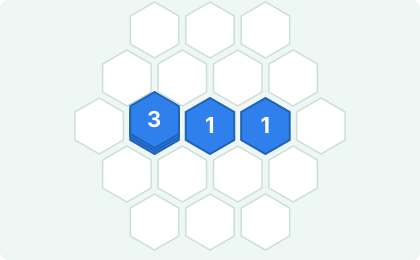
Every tile in your piece needs an empty cell. Put matching colors beside each other.

Touching tiles of the same color gather into one stack. The number is their total; the other cells become empty.
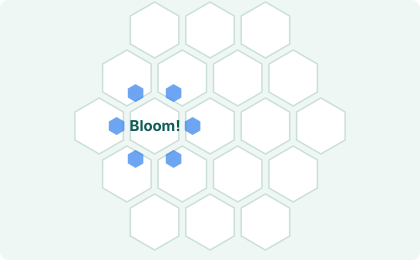
Add one more matching tile beside the 5. They gather, reach 6, and Bloom to open space.
A little planning
There is no rush. Look at the whole tray before choosing a space.
A 4 or 5 is a useful place for a matching single or duo. Leave an empty neighbor so you can reach it.
Predict the gather pointCheck the largest tray piece first. Keeping connected empty spaces helps a triple or quad fit later.
Try the space puzzleAn empty cell between them can be a bridge. A matching tile there can gather both stacks into one.
Find the one-tile Bloom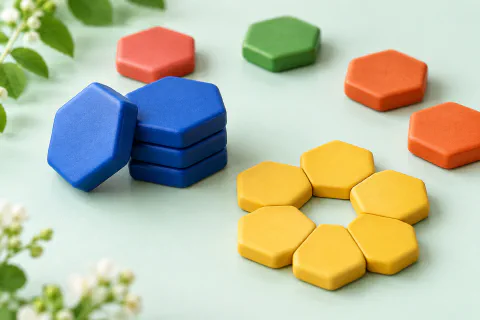
Why it is fun
A single tile can finish a stack. A well-placed bridge can bring two stacks together. Each Bloom gives you a new patch of space to work with.
Enjoy a quick round on your phone or settle in on desktop. After game over, compare your local records or share your Bloom score. No timer, no account.
Explore the full guideGood to know
It marks a gather point for a repeated color in that piece. When those matching tiles connect, they gather toward the marked tile. The same + stays visible while you drag.
Gather points and connections (new tab)At least one tile would cover an occupied cell or land outside the board. Nothing is placed. Select a piece again and choose open space; you cannot place directly on top of a stack.
Placement checklist (new tab)They need a path of touching, same-color tiles. Matching colors elsewhere on the board do not gather together.
Check the connecting path (new tab)A stack of 7 or more still gathers into one tile before it Blooms. It earns an extra score bonus and counts as an Overbloom in your result.
Bloom Result labels explained (new tab)When none of the remaining tray pieces can fit on the board. Each new tray has three pieces, with shapes of 1 to 4 tiles as the game grows. There is no timer.
Empty space and legal moves (new tab)Your best score and top 10 Classic results are saved in this browser on this device. Clearing site data removes them; they do not sync between devices. Records and sharing are available in Bloom Result after game over.
Finding a saved result (new tab)Yes. Tap a tray piece, then tap the board to place it. Sound starts off and can be switched on with the music-note button. You can undo one move when Undo is available.
Tap and sound help (new tab)